
Reports and alerts for the work happening behind the scenes.
Cronity collects check-ins, statuses, events, and progress updates from scripts, scheduled jobs, workflows, and AI agents. Each day, you get a clear report of what ran, what failed, what changed, and what needs attention.
Signals in. Operational report out.
Scripts, services, and people send check-ins to Cronity. The product turns those scattered signals into one operating picture.
Add scripts, websites, APIs, webhooks, scheduled jobs, and manual tasks. Each source gets a clear status model.
Cronity flags failed events, slow website checks, and anything that goes quiet after its grace window.
Your team sees what completed, what missed, and which human-owned tasks are still waiting for confirmation.
Everything needed to subscribe, connect, and start watching
Concrete capabilities for monitoring automated jobs, websites, manual work, and the reports your team reviews.
Track scheduled jobs that must run on time. Cronity records success, failure, silence, and late runs against the expected schedule.
Let imports, backups, billing tasks, and internal scripts report their result, runtime, message, and latest metrics with a simple check-in URL.
Run outbound HTTP checks for pages, health endpoints, and APIs. Watch status codes, response time, and whether critical services answer.
Create private links for recurring human tasks so people can confirm work, add notes, and make manual operations visible in the same report.
Give agents and automations a stable place to report what they did, whether they failed, and which outputs or metrics matter.
Model recurring operational work that does not fit a standard monitor type. Keep the status, events, alerts, and report trail in one place.
What Cronity looks like in everyday operations
Four practical workflows explain how recurring technical and human work turns into useful reporting.
Monitor scripts and cron jobs
Give every scheduled script a clear way to say what happened. A backup job, import script, billing task, or nightly cleanup can report success, failure, duration, and useful metrics with a simple HTTP request. If the job never reports, Cronity treats that silence as a signal too.
- Use from cron, GitHub Actions, Airflow, serverless jobs, or plain shell scripts.
- AI agents can report their status and send metrics for your operational report.
- Attach runtime, row counts, output totals, or any custom metric your team reviews.
Not everything can be automated
Some recurring work still needs a person: finance close, release approval, warehouse checks, client reporting, or a manager review. Send a private check-in link so the person responsible can confirm the task, add context, and create a reliable record.
- No dashboard training required for the person submitting the check-in.
- Works from a phone, runbook, Slack message, email, or shared operating procedure.
- Human notes appear beside automated events instead of getting lost in chat.
Watch endpoints before customers notice
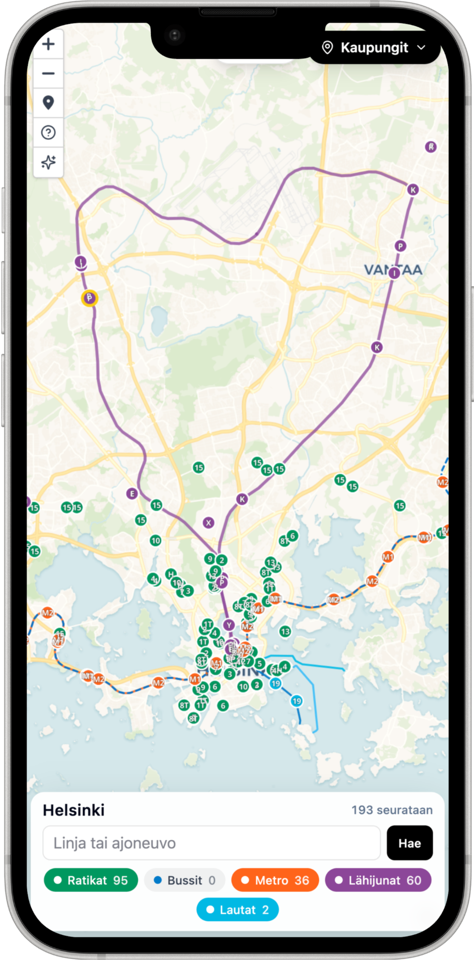
Important websites and APIs should be checked from the outside, not only from inside your application logs. Cronity can run recurring HTTP checks, watch response time, validate status codes, and confirm that expected content is still present.
- Track public pages, internal APIs, health endpoints, and partner integrations.
- See slow responses before they become full outages.
- Include website and API health in the same daily report as your scripts.
Turn workflow data into immediate alerts
For workflows with their own output data, send the result payload with the check-in. Cronity can evaluate that data against a specialized AI prompt and alert immediately when the workflow result needs attention.
- Accept structured data from internal tools, agents, jobs, and approval flows.
- Use a workflow-specific AI review instead of a generic status check.
- Send alerts when the result looks wrong, risky, incomplete, or worth reviewing.
Your operation should shape the report—not the other way around
We design the reporting setup with you: what matters, what needs context, who needs to see it, and how it should reach them. The result fits the way your team already works.
- Bring scripts, APIs, websites, manual work, and one-off workflows into the same operational view
- Define the signals, metrics, exceptions, and decisions your report needs to surface
- Use AI summaries where interpretation helps—not as a substitute for the underlying facts
- Deliver the finished briefing through the channels and cadence your team already uses
This is not a generic dashboard with your logo added. We work from your real workflows and build the reporting layer around the questions your team needs answered.
Most automated work completed normally. Invoice cleanup missed its window, the uptime check had two slow responses, and the payout API returned a warning that should be reviewed before the next finance report.
Scripts
Alerts
Events
 Email
Email Slack
Slack Telegram
We do not do the $9.99-a-month SaaS thing.
Try Cronity free with your own workflows—no sales conversation required. If it proves useful, send us a support message from your workspace. We will learn what your operation needs and shape a custom solution around it.
Try first. Talk when you are ready.
Create a free workspace and connect a few workflows. Take the time to see whether Cronity is useful to your team.
If it feels promising, open Support inside your workspace and tell us what you want to accomplish.
We will learn what your operation needs, shape the right solution, and give you a clear proposal before any paid work begins.
You will find Support in the workspace navigation after signing in. There is no paid plan to choose before we understand what would actually help.
Before you connect the first workflow
The essentials about check-ins, missed runs, reports, and delivery.
Looking for implementation details? The docs cover monitor setup, integrations, reports, and alert behavior.
Browse documentationWhat can I monitor with Cronity?
Cronity monitors cron jobs, scripts, websites, APIs, AI agents, custom workflows, and recurring human tasks. Their check-ins appear together in one operational record.
How does a workflow report its status?
Send a simple HTTP request from your script, scheduler, automation, or agent. You do not need an SDK, and the check-in can include status, runtime, messages, metrics, and structured result data.
What happens if a job stops reporting?
Each monitor has an expected cadence and grace window. When a check-in does not arrive on time, Cronity marks the monitor late or failed and can alert your team.
Are the reports factual or AI-generated?
The event list and monitor statuses are always the source of truth. AI summaries are optional and sit on top of those facts to explain changes, failures, and results that may need review.
Can humans check in without an account?
Yes. Share a private check-in link so a teammate can confirm recurring work and add a note from a phone or desktop without joining the workspace.
How do alerts and reports get delivered?
Route alerts and scheduled reports to the channels your team already uses, including email, Slack, Telegram, SMS, and WhatsApp where configured.

Start with the workflow you check manually today.
Connect one recurring job, website, or manual approval. Once the first briefing is useful, add the rest of your operation.